


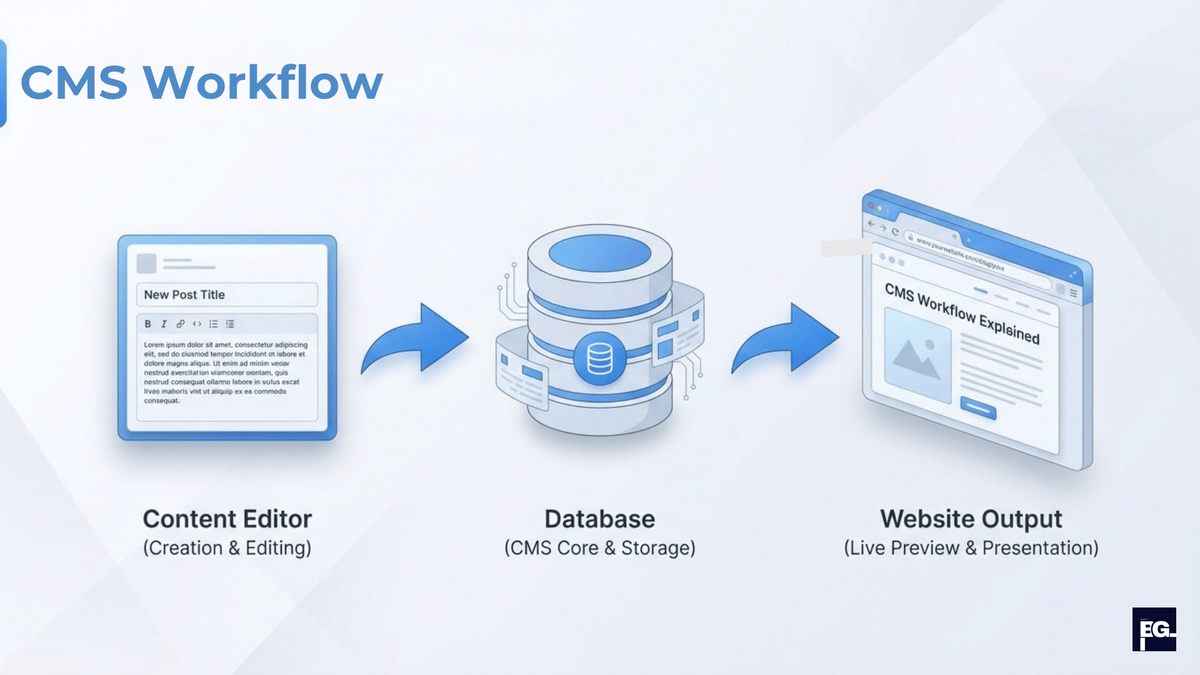
What Is a Content Management System (CMS)?
When I started working on client websites at BrainGig, I noticed something interesting: most businesses had websites that were 2-3 years old and hadn't been updated since launch. They'd call us saying 'the site looks dated,' but when I asked about their CMS, half didn't even know what was powering it. The other half had systems they couldn't use because no one remembered the login or how it worked. At the same time, they all wanted the same thing, a website they could update themselves without breaking anything.
That’s where a content management system comes in. In simple terms, a content management system is the software that sits behind your website and lets you create, edit, organize, and publish content without touching the raw code every time. Instead of asking a developer for every small change, you log into a dashboard, edit your content, and click publish.
In this guide, I'll walk you through what a content management system really is, how it works behind the scenes, the different types of CMS platforms out there, and how to pick the right one for your situation. Whether you're a small business owner who wants to manage your own site, a marketer who needs to publish content without developer help, or a developer evaluating platforms for a client, this guide will give you the clarity you need.
What a content management system really is
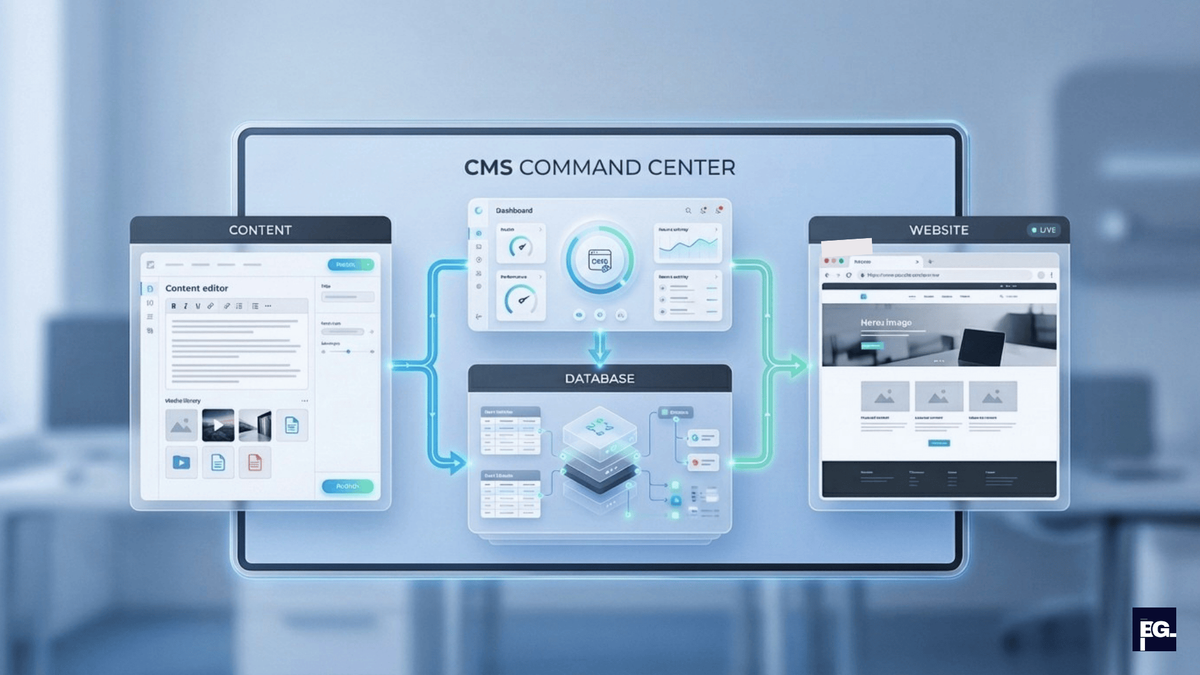
Most official definitions say a content management system is software that helps you create, manage, and publish digital content, usually for websites or other online channels. I like to think of it as the “control center” for your website.
At its core, a content management system (CMS):
- Gives you a visual or form-based editor to write and format content.
- Stores that content in a structured way in a database.
- Uses templates and themes to turn that stored content into web pages.
- Manage permission so different people on your team can contribute safely.
If you’ve ever used WordPress to write a blog post, Shopify to update a product, or Wix to edit a page layout, you’ve used a content management system, even if you called it a “website builder” or “admin panel.”
One thing worth clarifying: some people search for “content manager system” instead of “content management system.” Same concept, different phrasing. But the CMS is the platform, and a content manager is the person operating it. Knowing that distinction helps when evaluating tools with your team.
How a content management system works (without the jargon)
How does a CMS work behind the scenes?
Behind the friendly dashboard, most CMS platforms follow a similar pattern.You can think of it in two big parts:
- The content management side (back end):
- This is where you log in, create pages, upload images, write blog posts, and set menus.
- The CMS stores this content in a database with all the necessary structure.
- The content delivery side (front end):
- This is the website your visitors see.
- Templates, themes, and layouts pull content from the database and display it as pages.
A very simple view looks like this:
| Part | What you see | What the CMS does behind the scenes |
|---|---|---|
| Editor / dashboard | Forms, visual editor, media library | Saves content in a database with structured fields. |
| Templates / themes | Page layout, fonts, colors | Pulls content and applies design rules. |
| Permissions & workflows | Roles like author, editor, admin | Controls who can publish, edit, approve, or delete. |
This setup is why teams can work together smoothly: authors write, editors review, and admins manage the bigger structure, all without overwriting each other’s work.
Common features you’ll find in a CMS
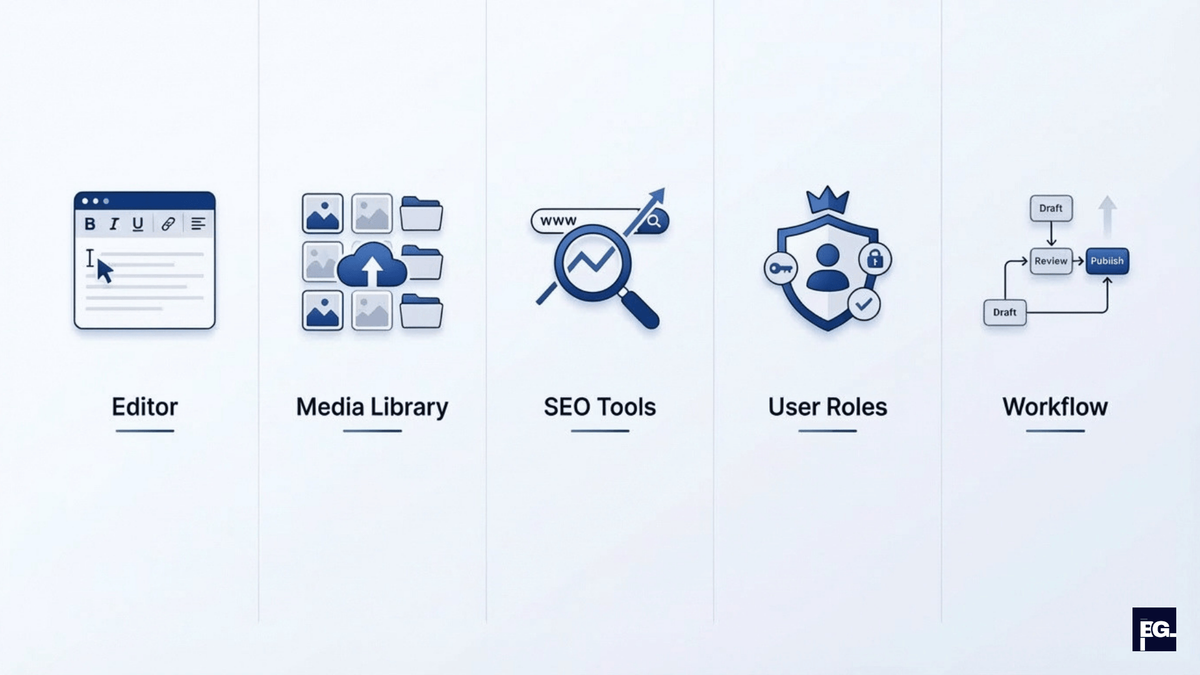
Most modern content management systems share a core set of features. When I evaluate platforms for clients, I always look for:
- Content editor: A rich text or block editor to write and format content without HTML.
- Media library: Central place to upload and reuse images, documents, and videos.
- User roles and permissions: Different levels like author, editor, and admin so not everyone can publish.
- Content types and templates: Different structures for pages, blog posts, products, etc.
- Version history: Ability to see previous versions and roll back if needed.
- Menus and navigation tools: Simple ways to manage your site structure.
- SEO controls: Fields for meta titles, descriptions, URLs, and sometimes schema or redirects.
- Workflows and approvals: Optional review steps for larger teams.
A well-built CMS abstracts all the technical complexity away, so your marketing team can publish a landing page at 9 AM without waiting on a developer to push code.
Types of content management systems
Not all content management systems are built the same way. When I discuss CMS options with clients, I usually explain three broad categories, plus one extra important angle: ecommerce.
1. Traditional (or coupled) CMS
This is the classic model used by platforms like WordPress and many older systems.
- The back end (content editing) and front end (website) are tightly connected.
- You manage content and design in the same system.
- Great for blogs, business websites, and many marketing sites.
Pros: Easy to get started, lots of themes and plugins, huge ecosystems.
Cons: Less flexible if you want to deliver content to apps, smart devices, or multiple front ends.
Best for: Small businesses, bloggers, service companies, and marketing teams who want to build and manage a website without a dedicated developer.
2. Headless CMS
A headless CMS stores and manages your content but does not handle the front-end rendering.
- Content is delivered through APIs to any front end (websites, mobile apps, digital displays).
- Common for modern, custom, or multi-channel experiences.
Pros: Very flexible, good for performance and custom front ends.Cons: Needs more development work; not ideal if you just want a simple drag-and-drop website.
Best for: Development teams and agencies building websites that need to serve content to mobile apps, IoT devices, or multiple front-ends simultaneously.
3. Decoupled CMS
A decoupled CMS sits between traditional and headless:
- It has a content management back end and can provide a default front end.
- It can also expose content via APIs so you can build custom experiences.
Many enterprise platforms have moved in this direction to support both marketing teams and developers.
Best for: Mid-size businesses and enterprise teams that need marketing flexibility without completely removing the front-end framework.
4. CMS for ecommerce
Some platforms are built for content first and ecommerce second, others are ecommerce-first but include CMS features.
- Examples of CMS with ecommerce capabilities: WordPress (with WooCommerce), Magento, Shopify, some headless commerce setups.
- Optimizely, Adobe, and other enterprise platforms blend content and commerce so marketers can manage both products and pages in one system.
For online stores, the right choice often depends on how complex your catalog is, how much content you publish, and what kind of marketing automation you want around it.
Best for: Online retailers and ecommerce businesses that need built-in product management, checkout, and inventory tools in one platform.
If you want to launch an ecommerce store without managing server setup or payment gateway integrations from scratch, Shopify is purpose-built for that. It handles hosting, checkout, and inventory , all from one dashboard.

Why businesses use a CMS instead of static sites
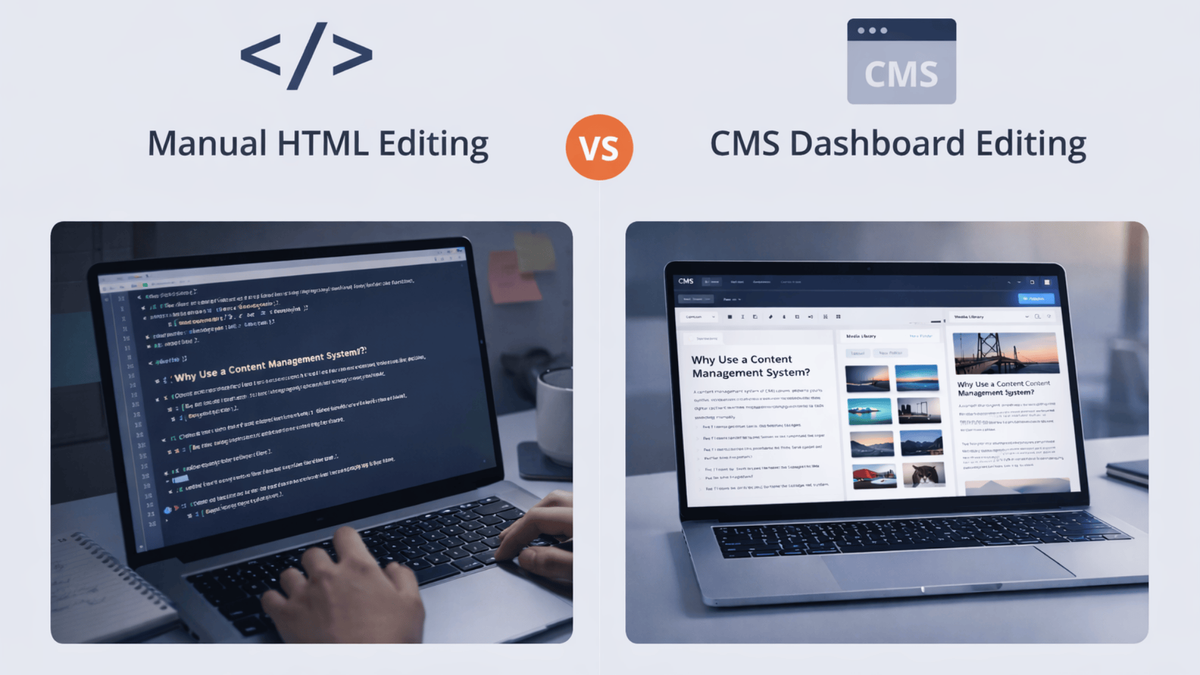
Technically, you can build a website with static HTML files and upload them via FTP. Some very small sites still do this. But in practice, once you have more than a few pages or more than one person working on the site, a content management system almost always wins.
From what I’ve seen across client projects, the main benefits are:
- Faster updates: You can edit content in minutes without calling a developer.
- Shared ownership: Marketing, content, and product teams can contribute without touching code.
- Consistency: Templates and content types keep everything looking on-brand.
- Scalability: Adding new pages or blog posts is just another entry in the CMS, not a new file.
- Better governance: Roles, permissions, and workflows prevent mistakes from going live.
For example: A small business that updates services, blog posts, and landing pages every week will usually save a lot of time with a CMS. Instead of asking a developer for every change, the team can publish updates in minutes from one dashboard.
This is why, in larger businesses, the CMS often sits at the center of the entire digital stack , connected to analytics tools like Google Analytics, email platforms like Mailchimp, and ad platforms like Meta Ads. Everything starts from the content, and the CMS is where that content is created and managed.
What studies say about CMS adoption and impact
Recent market research shows that WordPress alone powers about 43–44% of all websites on the internet, and more than 61% of all websites that use a content management system, which means one CMS platform has more users than all other CMSs combined. At the same time, analysts estimate that the global CMS market was worth over 30 billion dollars in 2025 and is on track to grow past 45 billion dollars by 2030, driven by digital transformation and the need to manage content across many channels.
If you zoom in on smaller businesses, the pattern is similar. A breakdown from the U.S. Chamber of Commerce notes that tens of millions of small business websites now run on a content management system, with WordPress again listed as the most common choice. Their summary highlights very practical benefits: non-technical teams can update pages themselves, SEO tools are easier to use, and collaboration becomes faster when everyone works inside one shared system.
According to Landbase, the global CMS market reached $30.91 billion in 2025 and is projected to hit $45.71 billion by 2030. Within that, cloud-based and headless CMS platforms are growing the fastest, as businesses increasingly need to push content across websites, mobile apps, and digital channels from a single source. That matches exactly what I see on client projects. More teams now want a CMS that integrates with their existing tools , their analytics dashboard, email platform, and ad manager , without needing to rebuild the entire tech stack from scratch.
How to choose the right content management system
When I help clients choose a CMS, I never start with “Which platform is popular?” I start with what they need the site to do in the next 1–3 years. Here are the main criteria I look at:
1. Your main use case
- Are you mainly publishing blogs and marketing pages?
- Do you need a content-heavy site, a store, or both?
For example, a simple blog and service site often works very well with WordPress. A complex ecommerce site might need a more specialized CMS or a headless setup.
2. Your team’s technical skills
- Do you have developers in-house?
- Do you want a “no-code” or “low-code” experience?
If the team is mostly marketers and content writers, a user-friendly CMS with a good editor and templates is critical. If you have strong development resources, a headless CMS can give you more flexibility and performance.
3. Integration and ecosystem
- Does the CMS integrate with your CRM, analytics, email tools, and ecommerce platform?
- Are there ready-made plugins or apps for what you need?
A strong ecosystem often saves you days or weeks of custom development.
4. Performance and SEO
- Can the CMS generate fast, clean pages?
- Does it support caching, image optimization, and technical SEO basics?
You don’t want your content management system holding you back on search performance.
5. Security and governance
- How are updates handled?
- Does the platform have a good security track record?
- Can you control user access properly?
This matters even more for larger sites, ecommerce, and regulated industries.
6. Total cost of ownership
- License or subscription costs.
- Hosting and infrastructure.
- Development and maintenance time.
Sometimes a “free” CMS can cost more in the long run if it requires a lot of custom work; sometimes a paid platform is cost-effective because it includes more out of the box.
When you might not need a CMS
To be fair, there are cases where a full content management system is overkill:
- A one-page landing site that rarely changes.
- A temporary event page with a short lifespan.
- A prototype or test project.
In those cases, static site generators or simple landing page builders might be more than enough. But as soon as you want to publish content regularly, work with a team, or scale your site, a CMS starts to pay for itself.
Final thoughts

A content management system (CMS) is more than a buzzword; it’s the engine behind most modern websites. It gives you a central place to create, manage, and publish content without rebuilding your site for every update.
From my work with clients at BrainGig, the biggest success comes when we match the CMS to the real needs of the business: how often they publish, who will use it, what they sell, and how the site fits into their broader digital strategy. Once those pieces are clear, choosing and implementing the right CMS becomes much easier, and the website stops being a bottleneck and starts being an asset.
If you’re thinking about launching a new site or migrating an old one and you’re not sure which content management system is right for your business, this is exactly what we do at BrainGig. We help clients plan, select, and implement the right CMS so they can focus on content and growth. Feel free to reach out if you’d like to talk through your options over here.
Summary, Topics Learned
Q: What is a content management system in simple terms?
A: A CMS is software that lets you create, edit, and publish website content through a dashboard , without needing to write code for every update.
Q: What’s the difference between a traditional CMS and a headless CMS?
A: A traditional CMS connects the content editor and the website front-end together. A headless CMS separates them, delivering content via API to any platform , website, app, or digital display.
Q: Does a CMS help with SEO?
A: Yes. Most CMS platforms, especially WordPress with plugins like Yoast SEO or Rank Math, let you set page titles, meta descriptions, and URL slugs for every piece of content. But the CMS is a tool , good SEO still requires a strategy behind it.
Q: Is WordPress still the best CMS in 2025?
A: WordPress is still the most widely-used CMS, powering 43.4% of all websites and holding 61%+ CMS market share according to W3Techs. But it’s not always the best choice , the right CMS depends on your goals, team skills, and budget.
Q: Can one person run a website on a CMS?
A: Absolutely. That’s actually one of the biggest reasons small business owners use a CMS. Platforms like WordPress or Wix let one non-technical person publish blog posts, update pages, and manage product listings without needing a developer on call.